How to Choose an Encrypted USB Drive: Key Criteria Explained
Not all encrypted USB drives are created equal. From budget consumer sticks with software passwords to military-grade drives certified by NIST, the range is wide — and the differences matter. This guide walks you through the criteria that actually count when selecting a drive for sensitive data.
Hardware Encryption vs. Software Encryption.
The single most important distinction is where encryption happens.
Software Encryption
- Relies on a host application to lock and unlock data
- Fails if software is uninstalled or OS-incompatible
- Encryption can be manually disabled by users
- Host OS becomes part of the trust chain
- Does not work on air-gapped or locked-down systems
Hardware Encryption
- Dedicated cryptographic processor on the drive itself
- Always-on — cannot be disabled by users
- Works on Windows, macOS, Linux, ChromeOS, thin clients
- No software to install, no endpoint dependency
- Data stays protected if the drive is lost or stolen
For any business, regulated industry, or government use case, hardware encryption is the baseline requirement — not an option.
Encryption Standard: XTS-AES 256-bit.
The encryption algorithm is the mathematical foundation of data protection. Look specifically for XTS-AES 256-bit (Advanced Encryption Standard, 256-bit key, XEX-based Tweaked CodeBook mode with ciphertext Stealing). XTS mode is designed for storage devices and prevents patterns from leaking through repeated data blocks — making it stronger than older CBC or ECB modes.
FIPS Certification — and Why the Level Matters.
FIPS certifications are issued by NIST and provide independent verification that a drive's cryptographic module has been tested by an accredited laboratory. There are three tiers relevant to encrypted USB drives:
FIPS 197
Confirms the drive correctly implements AES encryption. A baseline certification for standard commercial use. This ensures reliable data protection against unauthorized access.
FIPS 140-2 Level 3
Adds physical tamper-evidence, identity-based authentication, and cryptographic key protection. Required by many government procurement frameworks.
FIPS 140-3 Level 3
Enforced since 2020. Adds enhanced RNG, periodic self-testing, and stronger tamper-response. The highest certification available on commercial USB drives.
You can verify any drive's certification status in the official NIST Cryptographic Module Validation Program (CMVP) database. If a manufacturer claims FIPS certification, the certificate number must appear there.
For a detailed look at how FIPS 140-3 Level 3 applies in practice, see our article on the Kingston IronKey Keypad 200 FIPS certification.
Authentication Method.
How the drive unlocks is as important as how it encrypts. There are three main approaches:
On-device PIN Keypad
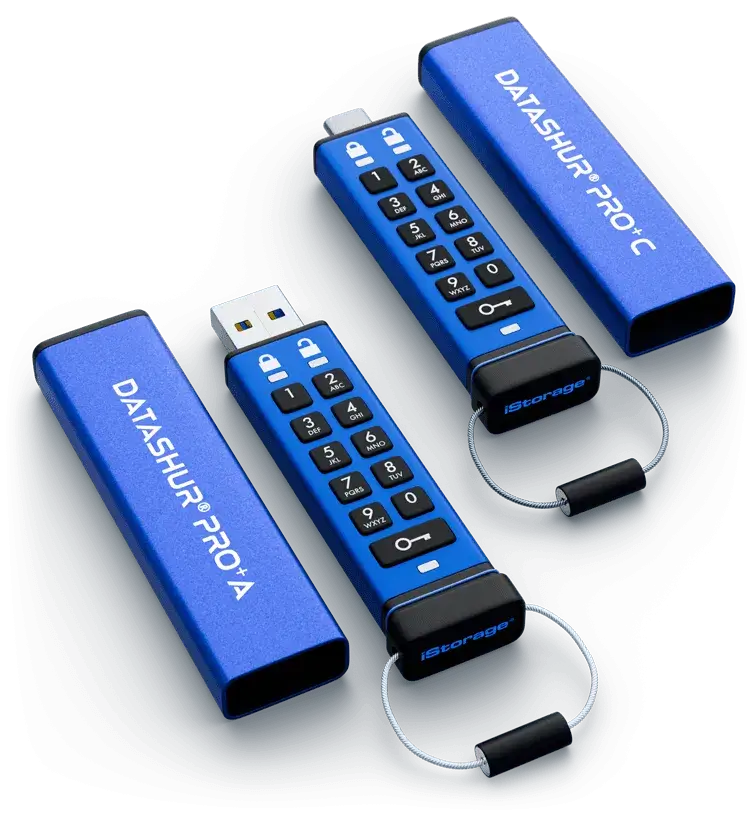
PIN entered directly on the drive before plugging in. Fully OS-independent. Polymer-coated keys prevent fingerprint analysis. Examples: Kingston IronKey KP200, iStorage datAshur PRO2.
Best for high securitySoftware Password
Application on the host computer handles unlock. Practical for keyboard input, but the host OS becomes part of the trust chain — not ideal for shared or locked-down workstations.
Moderate securityBiometric
Unlocks via Windows Hello or Touch ID. The DataLocker DL GO uses this approach — convenient for frequent access in trusted environments.
Best for convenienceStandalone keypad drives are generally preferred where the host environment is untrusted — shared workstations, field deployments, or air-gapped systems.
Brute-Force Protection and Crypto-Erase.
A hardware-encrypted drive without brute-force protection is still vulnerable to automated PIN guessing. Look for drives that enforce a strict failed-attempt limit — typically 10 attempts — after which the drive performs a crypto-erase: the encryption key is destroyed, making all data permanently and mathematically irrecoverable.
BadUSB Protection.
BadUSB attacks reprogram a USB device's firmware to impersonate a keyboard or network adapter and inject malicious commands. Drives protected against this use digitally signed firmware: a secure microprocessor authenticates the firmware signature at startup and shuts down if the signature does not match. This prevents reprogramming even with physical device access.
Firmware signing is required under FIPS 140-3 Level 3, but is absent from many consumer-grade drives. Verify this feature explicitly before enterprise deployment.
Physical Security and Build Quality.
Beyond cryptography, the physical construction determines resilience to real-world conditions and targeted attacks:
For sectors handling classified or NATO-restricted data, physical build requirements become legally mandated. Our article on NATO-level security standards covers the specific certifications required in defence and government procurement.
Centralized Management for Enterprise Deployments.
Organizations deploying dozens or hundreds of drives need centralized control: remote password reset, geofencing, usage audit trails, drive inventory, and the ability to remotely wipe a lost device. Platforms such as DataLocker SafeConsole and Kingston IronKey's managed variants address this.
When evaluating drives at scale, check whether a management backend is available, what it costs per seat, and whether it supports your compliance framework — GDPR, HIPAA, NIS2. Also consider multi-password support: separate Admin and User PINs allow IT to recover access without knowing the user's personal PIN.
Capacity and Speed.
Encrypted drives are available from 4 GB to 512 GB (USB flash) and up to several terabytes for encrypted external SSDs. USB 3.2 drives offer read speeds of 130–280 MB/s and write speeds of 100–200 MB/s depending on the model and capacity. For most document-centric workflows, 32–64 GB is sufficient. For database backups or forensic work, encrypted external SSDs offer higher throughput and capacity without compromising security.
Summary: What to Look for
| Criterion | Minimum for Business | Required for Government / Enterprise |
|---|---|---|
| Encryption type | Hardware AES-256 | Hardware AES-256 XTS |
| Certification | FIPS 197 | FIPS 140-2 / 140-3 Level 3 |
| Authentication | Software password | On-device PIN keypad |
| Brute-force protection | Required | Required + crypto-erase |
| Firmware protection | Recommended | Digitally signed — mandatory |
| Physical security | Metal casing | Epoxy-filled + tamper-evident |
| Management | Standalone | Centralized platform |
Dataway Security is an authorised distributor of encrypted USB drives from Kingston IronKey, iStorage, DataLocker, and Kanguru. If you are selecting drives for a specific compliance requirement or deployment scenario, our team can advise on the right fit.
Browse encrypted USB drives →Same category
- How to Choose and Test a Professional Faraday Tent.
- Understanding FIPS 140-2 Standards for Secure Data Storage
- Overview of the Mission Darkness BlockBox Lab XL Forensic Enclosure
- Why Hardware Encrypted USB Drives Outperform Software Solutions
- The Digital Shield: Understanding the Importance of Faraday Bags